
If your teams use different CI/CD setups, you pay for it in time, risk, and cloud spend. In this list, I’d narrow the field to Hokstad Consulting, GitLab, GitHub Actions, Jenkins, CloudBees CI, Azure DevOps, Harness, and Argo CD because they give you the main things that matter for standardisation: shared templates, policy checks, platform fit, and cost control.
Here’s the short version:
- GitLab fits teams that want source control, CI/CD, and policy in one place.
- GitHub Actions suits GitHub-first estates that want org-level workflow reuse and guardrails.
- Jenkins still works for on-prem, air-gapped, and tightly controlled setups.
- CloudBees CI adds governance across large Jenkins estates.
- Azure DevOps is a natural fit for Microsoft-heavy organisations.
- Harness focuses on templates, OPA policy checks, and spend control.
- Argo CD is built for Kubernetes-based GitOps delivery.
- Hokstad Consulting suits firms that want outside help to standardise pipelines and cut waste.
A few numbers stand out. Around one-third of organisations use two CI/CD tools, and nearly 10% use three or more. One firm cut 36,000 pipelines to 50 templates. Another test showed pipeline time falling from 22 minutes to 14 minutes. And moving some workloads to self-hosted runners can cut monthly costs by about 88%.
CI/CD Standardization Framework | From Pipeline Chaos to Scalable Enterprise Delivery
Need help optimizing your cloud costs?
Get expert advice on how to reduce your cloud expenses without sacrificing performance.
Quick comparison
::: @figure 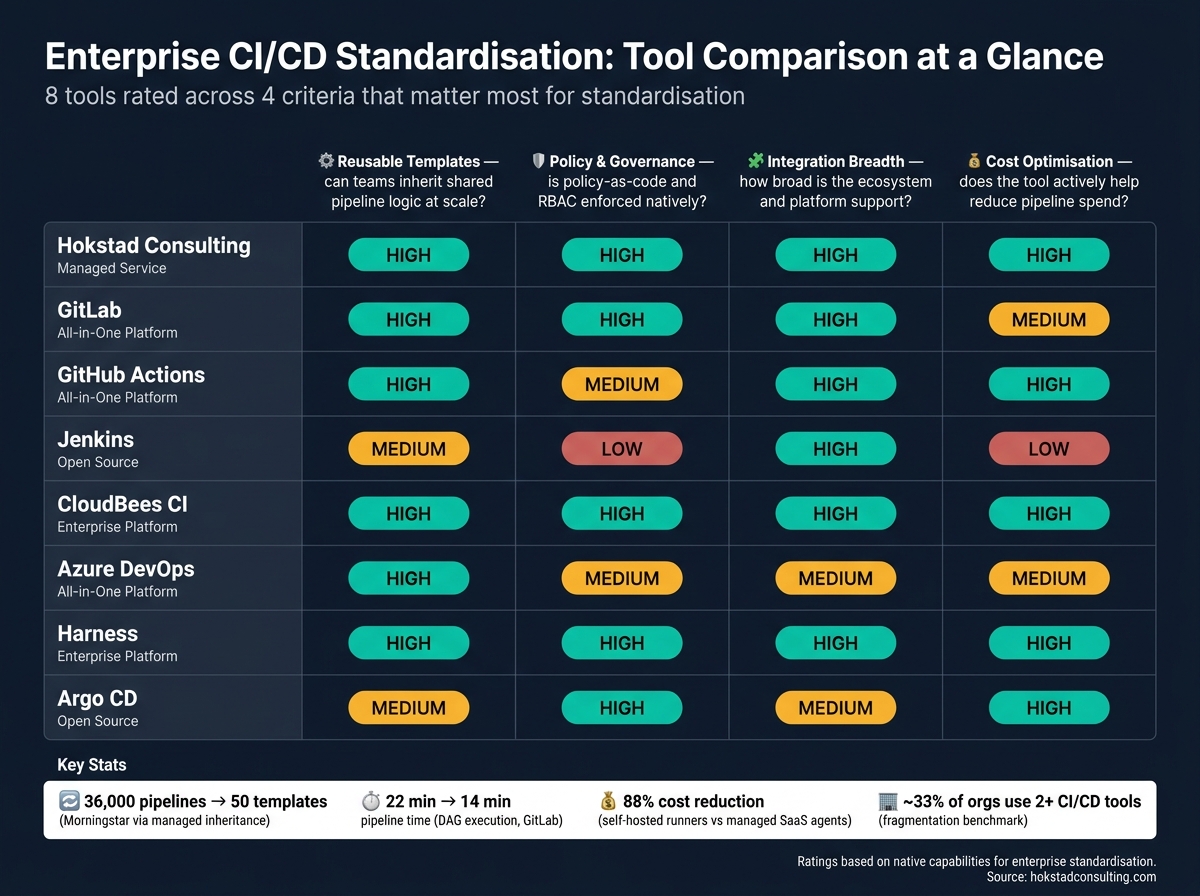 {Enterprise CI/CD Tools Compared: Templates, Governance & Cost Control}
:::
{Enterprise CI/CD Tools Compared: Templates, Governance & Cost Control}
:::
| Tool | Best for | Reuse | Governance | Platform fit | Cost control |
|---|---|---|---|---|---|
| Hokstad Consulting | Firms that want a managed standardisation service | Shared templates and IaC | Policy, RBAC, audit logs, approvals | Public, private, hybrid | Caching, parallel jobs, spend review |
| GitLab | Teams already on GitLab | CI/CD Catalog, components | Execution policies, variable controls | Strong across cloud and Kubernetes | Self-managed runners, DAG pipelines |
| GitHub Actions | GitHub-first estates | Reusable workflows, composite actions | Required workflows, action allow-lists, OIDC | Strong inside GitHub estates | Caching, concurrency controls |
| Jenkins | On-prem and air-gapped setups | Shared Libraries | JCasC, access controls, plugins | Very broad plugin ecosystem | No licence fee, but infra cost stays with you |
| CloudBees CI | Large Jenkins estates | Template Catalogs | Runtime policies, central controller governance | Sits across mixed delivery setups | Shared agents, lower admin overhead |
| Azure DevOps | Microsoft-heavy estates | YAML templates, extends
|
Approvals, protected resources, change checks | Tight fit with Microsoft stack | Self-hosted agents can lower build cost |
| Harness | Firms that want policy and spend control in one tool | Account/org/project templates | OPA, audit trails, template rules | Broad integration coverage | AutoStopping, short-lived environments |
| Argo CD | Kubernetes and GitOps delivery | ApplicationSet, App-of-Apps | AppProjects, Sync Windows, SSO | Best for cluster-based delivery | No per-seat fee, but HA uses more resources |
If I were choosing, I’d start with one question: do you want to standardise inside the tool you already use, or put a governed layer over a mixed estate? That one choice usually cuts the shortlist fast.
Why CI/CD Standardisation Matters in Enterprise
Without shared standards, teams end up rebuilding the same pipeline logic, approval steps and security checks again and again. One team runs security checks late in the cycle. Another depends on a pipeline that only one engineer can fully explain. Scale that across dozens of business units and things get messy fast: uneven security, hard-to-predict releases and a maintenance load that quietly eats engineering time. That’s why shared controls and reusable pipeline patterns matter.
Fragmentation also makes compliance harder to prove, audits harder to get through and onboarding slower. So the problem isn’t only slower delivery. It’s weaker control over policy and evidence too.
The case for standardisation comes down to operational control. With one framework, platform and security teams can define controls once - secret detection, dependency scanning and environment gates - and apply them everywhere by default. Developers then inherit those controls instead of setting them up from scratch. As Aditya Kashyap of Harness puts it, the goal is a standardised, pre-approved path to production.
AT&T and Microsoft both reported faster builds, shorter commit-to-deploy times and stronger automated compliance after centralising CI/CD templates [4][1]. Those controls shape what the right tool needs to support.
What to Look for in a CI/CD Standardisation Tool
The best enterprise CI/CD standardisation tools bring templates, policy and governance into one place across many teams, without making every pipeline start from zero. That’s the bar. When you compare tools, focus on whether they can apply shared standards at scale without slowing teams down.
Reusable templates with managed inheritance should be at the top of your list. Inheritance beats duplication every time. If teams rely on clone-and-edit workflows, even a small security policy update can turn into hundreds of pull requests across repo after repo. With inheritance-based templates, one change can flow through at once. Morningstar reduced 36,000 pipelines to 50 reusable templates through managed inheritance [5]. So template reuse is the first test. After that, check how the tool handles policy.
Policy enforcement built into the pipeline matters just as much. Look for tools that work with policy-as-code engines such as Open Policy Agent (OPA). These let platform teams write rules that can block non-compliant releases by default. That shift is important: security scans and environment gates stop being optional extras and become standard pipeline gates. The aim isn’t to trade speed for control. It’s to keep delivery moving while making the guardrails stick. Once policy and deployment paths are standardised, drift detection helps stop things from sliding off course.
Hybrid and multi-cloud support tends to matter more than teams think at first. Most firms don’t live in one neat setup. They run a mix of self-hosted agents, more than one cloud back end, and distributed execution that still needs central control. Cost visibility sits right alongside this. Moving from managed SaaS agents to self-hosted agents on EU-native infrastructure can cut monthly costs by about 88% [7]. In plain terms, splitting orchestration from execution can also lower spend.
Then there’s drift detection and versioned template catalogues. Standards don’t usually fail all at once; they wear down bit by bit. Teams tweak managed files. Old template versions hang around. Before long, the baseline is more theory than practice. Tools that audit repositories for deviations and treat templates as versioned assets with changelogs give platform teams a clear view of what’s changed and where problems are building.
These four areas shape the strengths and trade-offs of the tools below. The strongest options perform well across all of them.
1. Hokstad Consulting
Hokstad Consulting standardises CI/CD with reusable templates, policy controls and cost-focused automation. It suits organisations that want standardisation as a managed service, not just a set of templates.
Reusable pipeline templates
Hokstad builds custom pipeline automation for Jenkins, GitLab CI and GitHub Actions. It uses shared YAML templates and Infrastructure as Code configurations to keep workflows consistent across different environments. It also reviews existing pipelines, labels them as keep, improve or remove, and turns that work into standard templates.
Policy enforcement
Templates are only part of the job. Hokstad also puts controls in place so teams actually stick to the standard. Governance can be enforced through policy-as-code, RBAC, secret controls, immutable audit logs and ticket-based approvals for production releases.
Pipeline cost reduction
Hokstad links standardisation to lower delivery costs too. It adds parallelisation, caching and cost monitoring to standardised pipelines. Clients report deployment cycles that are 50% faster after implementation [6].
For enterprises that want one team to design, govern and fine-tune CI/CD standards, Hokstad is a strong fit.
2. GitLab

For enterprises that already run on GitLab, keeping templates, policy, and delivery control in one platform can make day-to-day work much simpler.
Reusable pipeline templates
GitLab CI/CD Components act as versioned, reusable building blocks inside a central CI/CD Catalog. Teams can pin a fixed release when they want stability, or follow a minor version when non-breaking updates are fine.
There’s also a useful guardrail here: spec:inputs checks required parameters before the pipeline starts. If a needed input is missing, the pipeline fails straight away instead of breaking later.
Policy and governance controls
On Ultimate, Pipeline Execution Policies let teams enforce required jobs from one config file. Jobs in .pipeline-policy-pre must pass before the rest of the pipeline can run.
That matters when you want rules that people can’t quietly dodge. Policies can ignore bypass directives such as [skip ci] and [no_pipeline]. Admins can also limit which variables teams are allowed to override. Those controls carry across cloud, Kubernetes, and infrastructure tooling.
Enterprise integration breadth
GitLab has native integrations with AWS, Google Cloud, Azure, Kubernetes, and Terraform. Its built-in secrets handling keeps credentials limited to specific jobs and managed through existing access rules.
In plain English: teams don’t need to rely as much on broad CI/CD variables that grant more access than a job needs.
Cost optimisation support
At enterprise scale, pipeline efficiency isn’t a nice extra. It affects time, spend, and how fast teams can ship.
In real-world testing, moving from stage-based execution to DAG execution reduced pipeline duration from 22 minutes to 14 minutes [9]. In a monorepo, using rules:changes to skip jobs that weren’t relevant cut average pipeline time by 40% [9].
There’s also the runner model to think about. Self-managed runners on internal infrastructure can remove usage-based billing, which can make a big difference when pipeline volume is high.
The Ultimate tier costs US$99 per user per month and includes the full security suite. For teams that only need part of that package, the price may feel heavy [9].
3. GitHub Actions
For GitHub-heavy estates, standardisation usually starts at organisation level. Teams can use shared templates, while a platform team keeps control of the logic through reusable workflows, composite actions, and firm policy controls [11].
Reusable pipeline templates
GitHub Actions uses a central workflow model. In practice, developers start from templates, and the platform team manages the shared parts behind the scenes [11].
Reusable workflows (workflow_call) are built for whole jobs like build, test, and deploy. They run with their own runners and permissions. Composite actions work a bit differently: they bundle a set of steps inside the caller’s job, which makes them a good fit for setup work and authentication flows [11].
Policy and governance controls
Templates help teams work the same way, but organisation-level rules are what keep people on the approved track.
Required workflows, set at organisation level, make sure certain workflows, such as security scans, run as required status checks on pull requests [10]. Enterprise owners can also limit which actions teams are allowed to use. That can mean GitHub-created actions only, verified actions, or actions approved in-house [10] [12].
For secrets, GitHub Actions supports OpenID Connect (OIDC). Use OIDC together with default permissions: read-only so you can avoid long-lived credentials and keep the blast radius smaller.
Cost optimisation support
Standardisation helps with cost too, especially when runner time starts adding up.
Concurrency groups stop stale runs from chewing through minutes, and actions/cache reduces repeated downloads, which can cut run time by 40–60% [13]. Retention can be set from 1 to 400 days [12].
GitHub Actions Importer converts over 90% of workflow tasks from Jenkins, GitLab, CircleCI, and Azure DevOps. That makes it easier to bring old pipelines into one standard model without dragging the migration out [10].
4. Jenkins
Jenkins is a self-hosted, open-source CI/CD platform built for enterprises that need centrally governed pipelines in on-premises or air-gapped setups. That’s why it still shows up so often in finance, defence and healthcare [20][21][22]. At enterprise scale, the main draw is simple: central control over shared logic, controller settings and build execution.
Reusable pipeline templates
Jenkins supports standardisation with Shared Libraries, which are versioned, reusable code bundles kept in a central SCM repository. These libraries bring shared steps, classes and assets into one place. The result is cleaner Jenkinsfiles that focus on pipeline-specific logic, while the shared library handles org-wide security and quality gates [15].
There’s an important practical detail here. In production, shared libraries should be pinned to a specific version tag, such as @Library('[email protected]'). If you don’t do that, one update can ripple across many pipelines and break them at the same time [15][16].
Policy and governance controls
Jenkins also helps teams standardise controller configuration and access control. Jenkins Configuration as Code (JCasC) stores controller configuration as YAML in source control [18][19]. That makes the setup version-controlled and reproducible, which matters a lot when teams need consistency across environments.
Access control is often managed with the Matrix Authorization Strategy. It supports granular, project-level permissions and can tie into LDAP or Active Directory [17]. For secrets, the HashiCorp Vault plugin can pull short-lived dynamic credentials at build time. That helps keep long-lived secrets out of Jenkins altogether [19].
Enterprise integration breadth
Another reason Jenkins works well at scale is its plugin range and repository discovery features. Jenkins supports more than 1,800 plugins [20][21][22], which gives teams a lot of room to fit it into existing systems.
The Kubernetes plugin runs ephemeral build agents. In plain terms, pods spin up for a build and disappear afterwards, so compute is used only when needed [23]. Organisation Folders can scan GitHub organisations or Bitbucket teams for repositories that contain a Jenkinsfile, then create managed multibranch jobs on their own [14][15].
Jenkins can also speed up pipelines with parallel tests, scans and static analysis. In many cases, that cuts pipeline time by 60–80% [15]. And when parallel stages use failFast: true, Jenkins can stop the other branches as soon as one fails, which saves both time and compute [15].
5. CloudBees CI
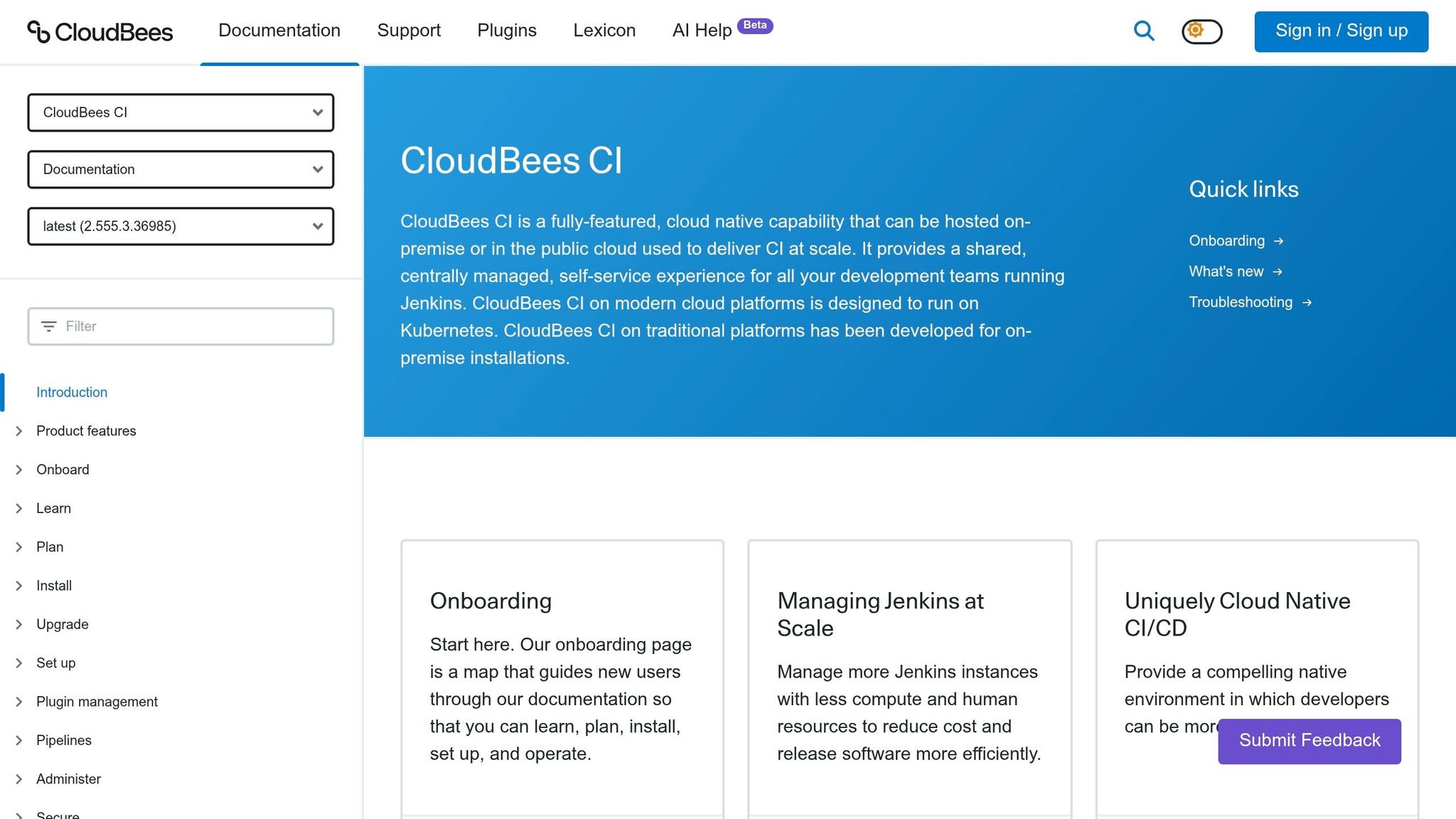
For organisations that already run on Jenkins, CloudBees CI adds central control across multiple controllers. It gives Jenkins-based delivery a common operating model, with governance, high availability and tighter plugin control built in. Autodesk used CloudBees CI to roll out secure, automated CI/CD across 4,000 engineers, which helped it get to daily releases and lead times measured in hours [24][29].
Reusable pipeline templates
Pipeline Template Catalogs store approved pipeline patterns in source repositories, with required values locked down and only approved parameters left open [24][26]. In plain terms, the template sets the standard, and policy makes sure teams stick to it.
Policy and governance controls
Pipeline Policies check scripted and declarative pipelines at runtime. If a rule is broken, they can fail the build or log a warning [25]. Controller configuration is managed through Configuration as Code (CasC), which keeps governance definitions aligned across the estate [25][2]. Acquia used this model to bring together 16+ separate Jenkins instances into one secure CI/CD setup, improving efficiency and governance [24][28].
Once those standards are in place, the next step is making sure execution stays consistent across the rest of the estate.
Enterprise integration breadth
CloudBees CI works with GitHub Actions, GitLab CI and Tekton, and it connects with Active Directory, LDAP and Kerberos [3][27][31]. So instead of ripping out the tools teams already use, it sits above them as a control layer and coordinates how they work together.
Operations Center centralises controller management, shares agent pools and cuts idle compute [30]. Organisations using the platform have reported a 90%+ drop in annual maintenance effort, along with savings of up to 21,000 engineering hours per year [2][27][3].
6. Azure DevOps
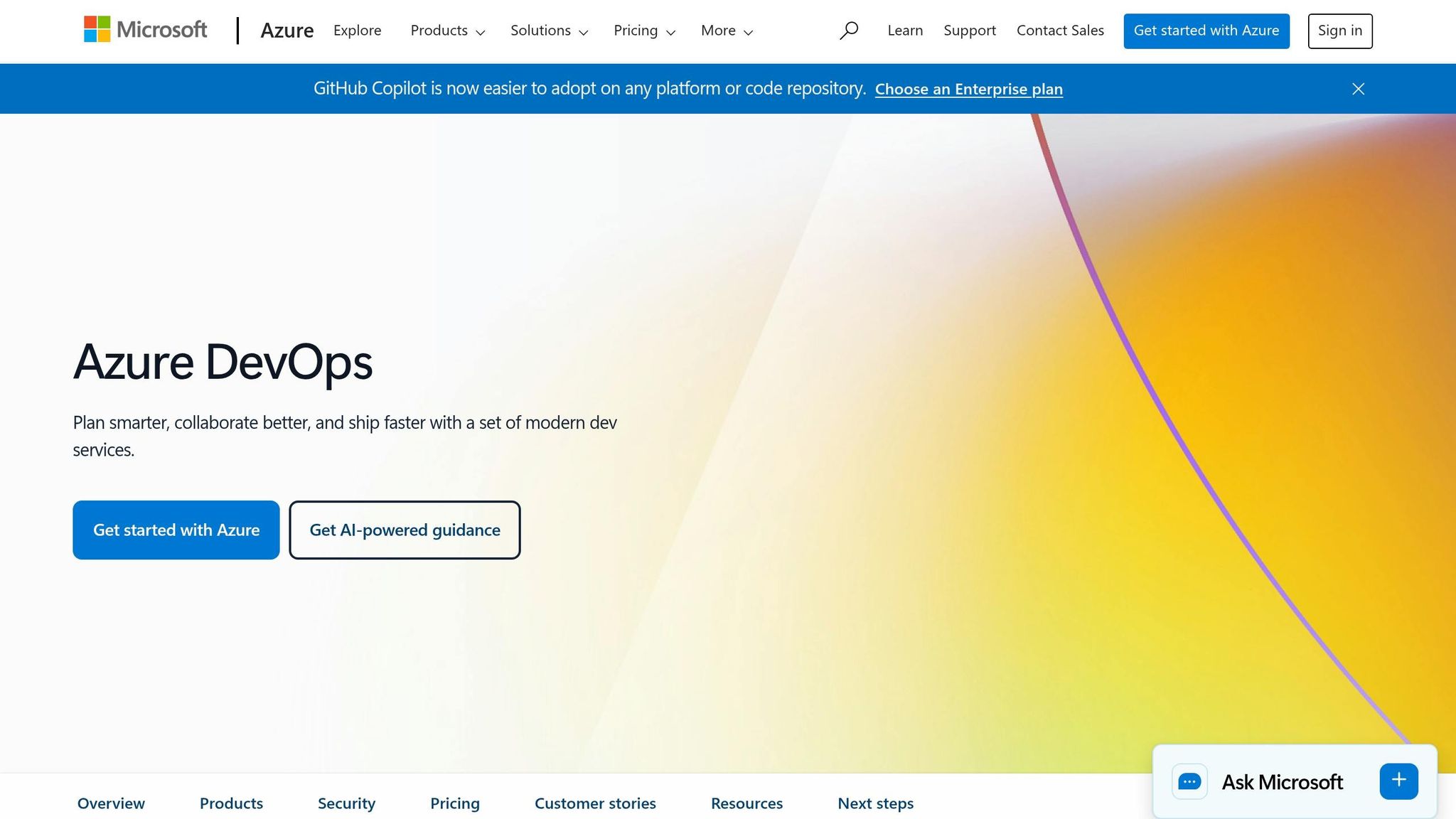
Azure DevOps pulls Microsoft-native identity, approvals and release governance into one CI/CD platform. So if your identity, approval flows and release control already live in the Microsoft stack, it’s a strong fit. It ranked highest for current offering and strategy in the 2025 Forrester Wave™ DevOps Platforms report [40]. Microsoft also says 92% of its commercial cloud production pipelines are centrally managed with governed templates [1].
Reusable pipeline templates
Azure DevOps supports central YAML template libraries, which lets teams reuse approved build, test and release logic across projects [32][33][34]. The extends keyword locks in a fixed pipeline structure, so teams can’t sidestep security scanning or compliance checks [32][35][36]. In practice, that keeps project-level pipeline logic lean while holding one shared release standard.
Policy and governance controls
Protected resources such as environments, service connections and agent pools need explicit permissions before a pipeline can use them [38][39]. Teams can also add manual approvals, branch controls and release windows to keep deployments inside set governance windows [39]. Azure DevOps supports a ServiceNow Change Management check too, which can create change requests on its own and wait for approval before a stage moves on [39]. That gives teams one control plane for access, approvals and release timing.
Enterprise integration breadth
Azure DevOps ties in closely with the Microsoft ecosystem, including Entra ID, Office 365 and Azure Key Vault [32][40]. It also connects with GitHub, Jira, ServiceNow, Slack and Teams [32][42], and supports delivery to AWS, GCP and on-premises systems [37]. Self-hosted agents can lower unit cost for high-volume builds [41]. At scale, that helps cut tool sprawl and keeps pipeline behaviour steady across teams.
7. Harness
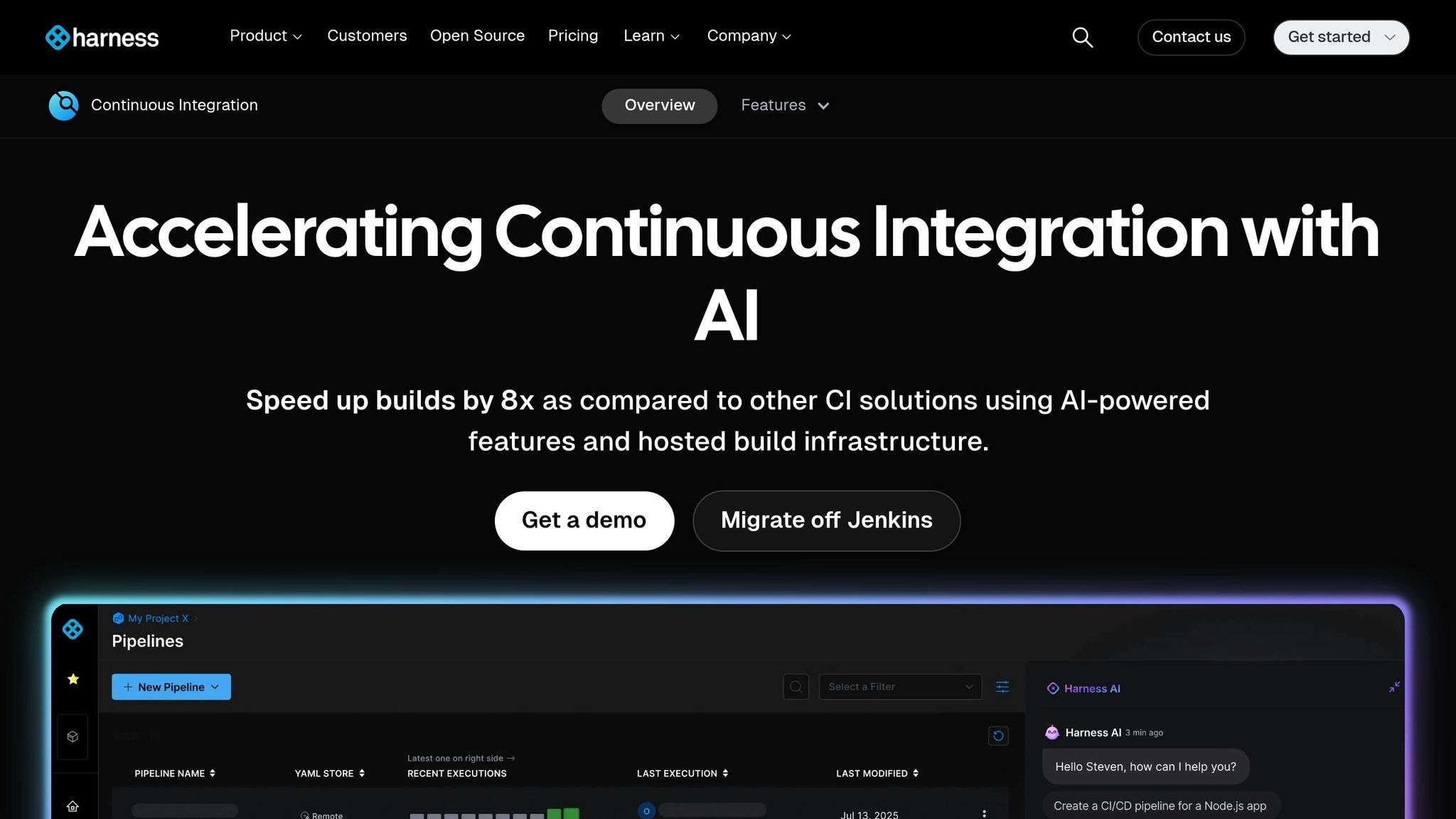
Harness is a strong fit for enterprises that need tight control over pipeline templates, policy checks and spend in one place. It tends to work well when governance needs to stay at the centre as more teams come on board.
Reusable pipeline templates
Harness organises reusable templates at account, organisation and project level. These templates can cover steps, step groups, stages or whole pipelines. Versioning also lets approved updates move through linked pipelines with a Stable tag [43][45].
Insert Blocks give platform teams a useful middle ground. They can lock the core pipeline, then leave set spaces for team-level steps, such as a security scanner [6]. In practice, enterprises use this setup to pull scattered pipelines into governed golden paths.
Policy and governance controls
Harness uses Open Policy Agent (OPA) to enforce pipeline standards at scale [47][48]. Policies can run on save, on run or at step start. That means non-compliant setups can be blocked before execution starts [47][49].
Teams can also require production pipelines to be created from approved account-level templates [8][46]. On top of that, Harness Audit Trails keep change and policy history for up to two years, which helps with external audits [48][50].
Cost optimisation support
Harness includes Cloud AutoStopping and short-lived environment provisioning to shut down idle resources and cut spend [44][6].
8. Argo CD
For Kubernetes-heavy estates, standardisation moves away from pipeline templates and towards declarative deployment control. Argo CD uses Git as the source of truth for cluster state, and by mid-2026 it was used by more than 10,000 organisations, including Intuit, Red Hat, and Tesla [53][58].
Reusable pipeline templates
ApplicationSet brings templating to scale. One ApplicationSet manifest can generate hundreds of Applications across clusters, branches, or directories [51][56]. In practice, that lets a platform team set one deployment pattern and apply it across every environment without copying configuration again and again. App-of-Apps adds another layer: a root application manages other Applications and bootstraps platforms from Git [55].
So Argo CD helps with repeatable rollout patterns, but it also gives teams a way to enforce those patterns instead of just recommending them.
Policy and governance controls
Governance in Argo CD centres on AppProjects, which work as team boundaries. Each project limits:
- which Git repositories a team can deploy from
- which clusters and namespaces they can target
- which Kubernetes resource types they are allowed to create [51][54][55]
Used alongside Sync Windows - scheduled deployment blocks for freezes or weekends - platform teams can keep control of cross-cutting concerns while still giving teams room to operate inside their own project boundaries.
RBAC maps straight to enterprise SSO providers such as OIDC, SAML 2.0, and LDAP, so access management fits into identity systems that are already in place [51][52]. Audit trails come through Git history, with Kubernetes events and API security logs adding more detail [51][52].
Once rollout patterns and team boundaries are set, the next focus is secrets and drift control.
Enterprise integration breadth
Argo CD connects with secret managers such as HashiCorp Vault and AWS Secrets Manager through the External Secrets Operator, which keeps sensitive values out of Git [55][58]. Its self-healing feature automatically rolls back manual changes made with kubectl when those changes drift from the Git state. That makes it as much a control mechanism as a delivery feature [55][59].
Managing 50+ clusters from a single ArgoCD instance with one UI is powerful for platform teams.- Luca Berton, CEO at Open Empower [57]
It fits Kubernetes-heavy enterprises that want pull-based, declarative delivery, but HA mode needs about three times the pods and memory of a standard installation [55].
Quick Comparison Table
The table below gives you a fast side-by-side view of the eight tools against the four criteria that matter most for enterprise CI/CD standardisation. The point here isn't deep feature analysis. It's how well each option helps you enforce one standard across many teams.
| Tool | Reusable Templates | Policy & Governance | Integration Breadth | Cost Optimisation |
|---|---|---|---|---|
| Hokstad Consulting | Custom pipeline design and automation | Managed governance and audits | Public, private, hybrid and managed hosting | Cost engineering for lower spend |
| GitLab | High - CI/CD Catalog and versioned components | High - Compliance Pipelines in Ultimate | High - all-in-one SCM, CI and security | Medium - bundled minutes and built-in diagnostics |
| GitHub Actions | High - Reusable Workflows and composite actions | Medium - Environment Protection Rules | High - 20,000+ community Actions [63] | High - consumption-based billing and runner controls |
| Jenkins | Medium - Shared Libraries | Low - no native policy-as-code | High - 1,800+ plugins [21] | Low - £0 licence fee, but infrastructure costs apply |
| CloudBees CI | High - standardises existing Jenkins-based pipelines | High - RBAC and compliance controls | High - Jenkins ecosystem plus control-plane governance | High - central governance for Jenkins estates |
| Azure DevOps | High - mature YAML templates for large organisations [62] | Medium - branch policies and environment gates | Medium - best fit for Microsoft estates | Medium - per-user pricing with self-hosted agent options |
| Harness | High - unified control plane for GitOps and CD | High - OPA policy-as-code and audit trails [61] | High - 100+ native integrations, including Octopus Deploy and Slack [60] | High - cost controls and test suppression |
| Argo CD | Medium - ApplicationSet and App-of-Apps patterns | High - AppProjects, Sync Windows and SSO via OIDC/SAML 2.0 | Medium - Kubernetes ecosystem and External Secrets Operator | High - no per-seat licence |
Use this matrix to narrow your shortlist based on your operating model, then compare overall fit in the next section.
Choosing the Right Tool for Your Organisation
The table above trims the shortlist, but the final call usually comes down to two things: the setup you already have and how your teams work each day. A simple way to look at it is through the same four filters used in the table: current estate, governance needs, deployment model and cost pressure.
If your code already sits on GitHub, GitHub Actions is often the natural starting point.
In Microsoft-heavy setups, especially with .NET workloads, Azure Boards and Azure Kubernetes Service, Azure DevOps is still the most practical fit [64]. Its YAML templates and Azure-native integrations work well in estates built around Microsoft.
For regulated sectors such as finance, defence and healthcare, Jenkins and CloudBees CI are a good fit for regulated, air-gapped estates that need full infrastructure control [64]. And if your platform team is Kubernetes-first, pairing a CI tool with Argo CD gives you a clean split between build and GitOps deployment [64].
Sometimes the main problem isn’t picking a tool at all. It’s getting a messy, fragmented estate under one standard way of working. In that case, a managed approach can speed things up.
Hokstad Consulting helps organisations standardise CI/CD around the estate they already run, whether that’s public cloud, private cloud, hybrid infrastructure or managed hosting. Its DevOps transformation and cloud cost engineering work focus on faster deployment cycles and lower cloud spend.
Conclusion
Across the tools in this list, the pattern is pretty clear: central governance works best when it's paired with reusable delivery standards. At scale, standardisation tends to work better when templates, policy controls and cost governance all sit inside one operating model. The best tool isn't just the one with the most features. It's the one that lets platform teams enforce a single delivery model without slowing teams down.
Your choice should come down to a few practical factors: your existing stack, compliance needs, hosting model and the strength of your internal platform team. If you're dealing with a tool-sprawled estate, Hokstad Consulting helps standardise CI/CD and cut infrastructure spend across public, private, hybrid and managed hosting environments. Standardisation works when one governed delivery model replaces scattered team-by-team pipelines.
FAQs
How do I choose the right CI/CD standardisation approach?
Start with a close audit of your current systems. The goal is to spot pipelines that are redundant, manual, or out of line with compliance rules. From there, define what you need in plain terms: repository fit, ease of use, runner models, cloud and Kubernetes support, security, and predictable costs.
Next, treat the pipeline like a product, not just a bit of plumbing in the background. Use shared, version-controlled templates for security, compliance, and automation, and let teams extend them where local needs differ. Hokstad Consulting can support this shift.
What should I standardise first in enterprise CI/CD?
Start with governed pipeline templates, not one giant pipeline. Take your security, compliance and software development lifecycle policies and turn them into the rules every build must follow.
Then create versioned, reusable golden paths for build, test, scan and deploy stages. That gives teams standard logic out of the box, while still leaving room for small local extensions or overrides when they need them.
How can CI/CD standardisation reduce cloud spend?
Standardising CI/CD pipelines can cut cloud spend in a pretty direct way: it reduces the maintenance load that comes with unmanaged, fragmented tooling.
When every team uses different tools, scripts, and deployment patterns, costs tend to creep up. People spend more time fixing odd issues, environments drift apart, and duplicate resources get provisioned without much thought. Governed templates and golden paths help bring that under control. They reduce infrastructure drift, limit redundant resource provisioning, and cut the time teams spend troubleshooting inconsistent environments.
There’s another upside too. Built-in automated cost and security checks help teams spot wasteful configurations before they hit production. That means fewer nasty surprises, less avoidable spend, and fewer last-minute fixes.
Hokstad Consulting supports this with strategic automation and tailored DevOps solutions.